Last updated on January 11th, 2023 at 01:58 pm
Objective: In this tutorial, you will learn how to run a MySQL query using phpMyAdmin and also steps to take backup of the database using the export option.
Table of Contents
- Step 1: Login to PHPMyAdmin and Create a database.
- Step 2: Select the database you want to use on the left.
- Step 3: Click on the SQL tab on the top of the screen,
- Step 4: Create table using the SQL query below, enter into that text box
- Step 5: Optional By now clicking Structure and can see the entire table
- Step 6: Drop Table
- Step 7: Take Backup
Step 1: Login to PHPMyAdmin and Create a database.
Check this tutorial on How to enable PHPMyAdmin authentication
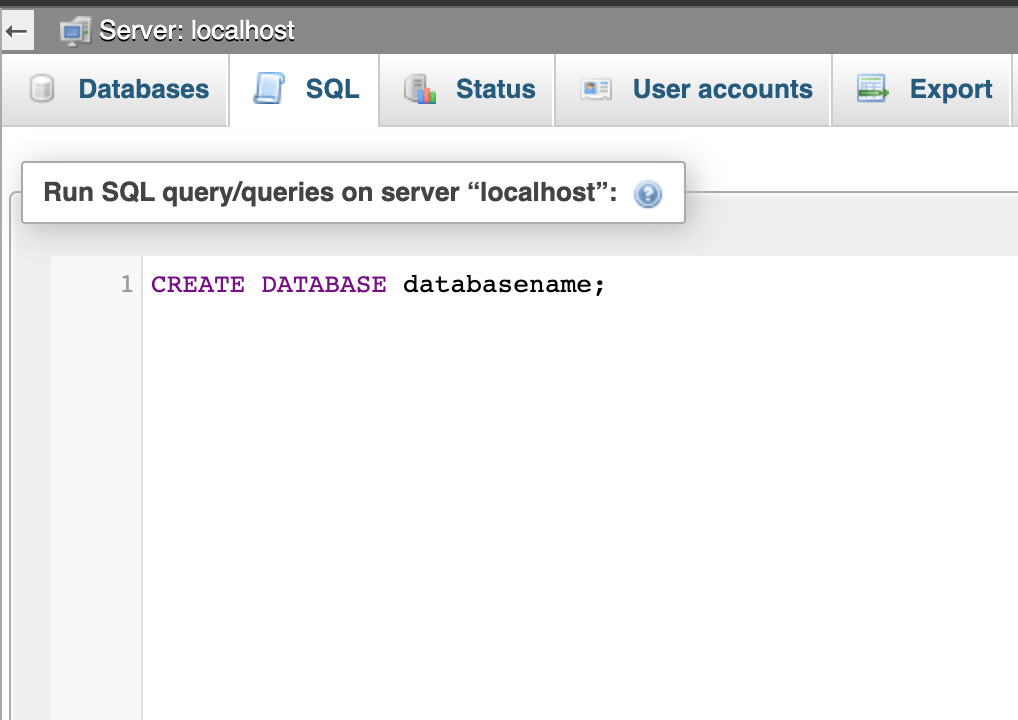
CREATE DATABASE databasename;
Note:-If using cPanel, click MySQL® Databases, and create a new database, then click phpMyAdmin!
Step 2: Select the database you want to use on the left.
I will be using the one we just created.
If you have 1 database, there will be one, click it. If there is more than one, there will be a drop down box / selection, use that to select the database you made in step 1.
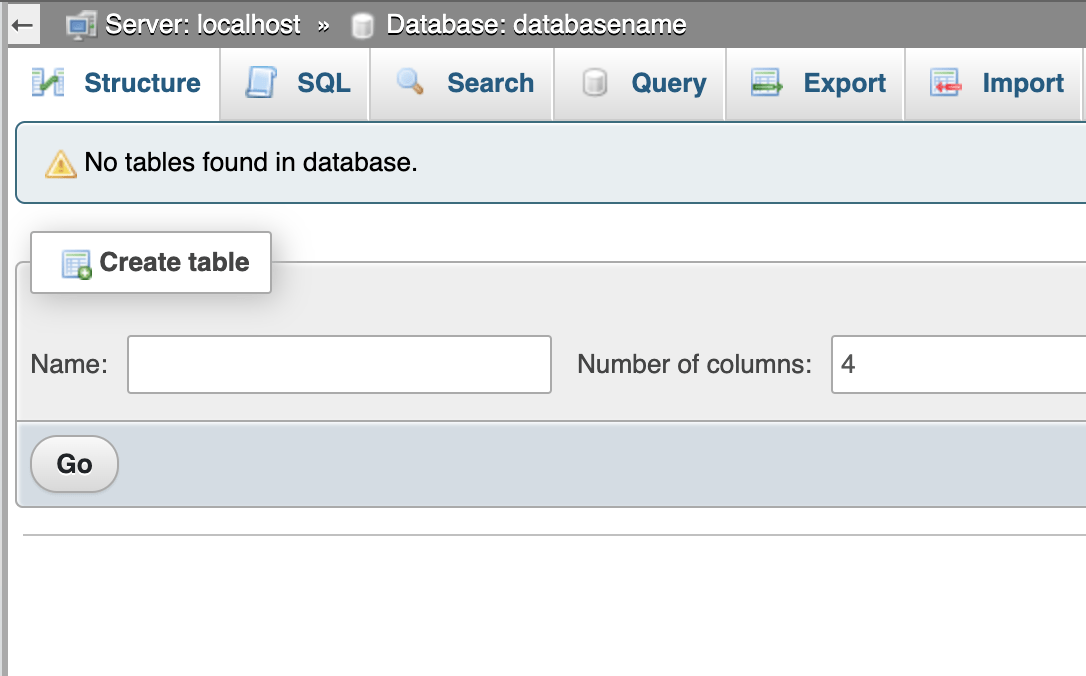
Step 3: Click on the SQL tab on the top of the screen,
It should be the header normally between “Structure” and “Search” tab.
Step 4: Create table using the SQL query below, enter into that text box
Code:
CREATE TABLE `table` (
`row1` VARCHAR( 255 ) NOT NULL ,
`row2` VARCHAR( 255 ) NOT NULL
) ENGINE = MYISAM ;
Then click “Go“
You should now be presented with a message similar to this
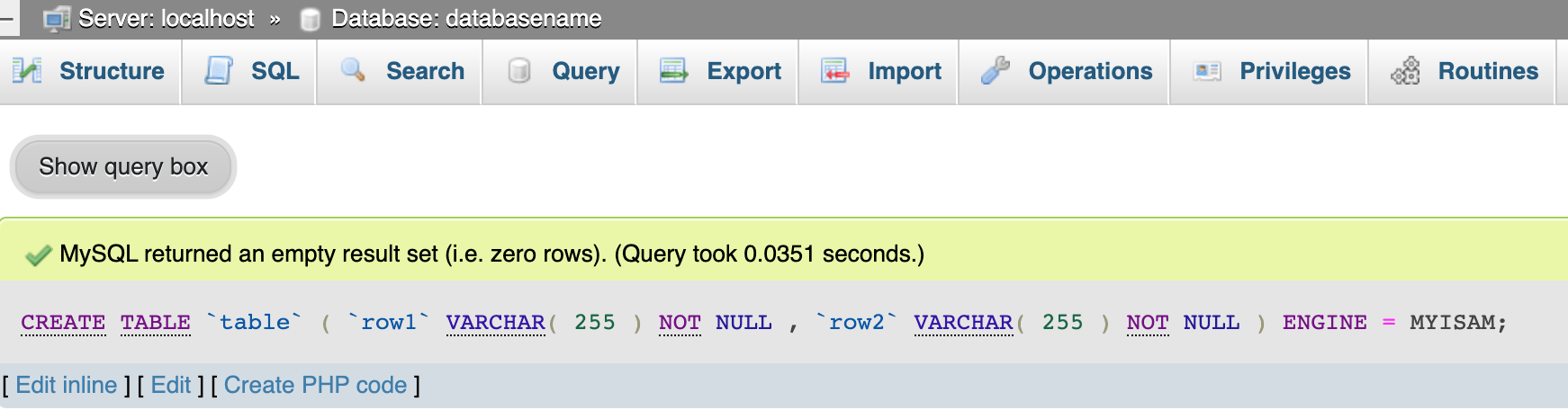
Of course the time for it may be quicker or slower, depending on several factors.
Step 5: Optional By now clicking Structure and can see the entire table

You can click and do stuff to it using phpMyAdmin’s built in functions. You can Insert, Empty, Browse data and get a feel for phpMyAdmin.
Click on the check box and drop down the list that says “With Selected”, you will be presented with options like copy table, show create, export, empty, drop, table maintenance, adding prefix etc.,
Step 6: Drop Table
Click SQL Again, and enter this query. It will delete the table.
Code:
DROP TABLE `table`;
It will drop/delete our new table called `table`
How to take backup using phpMyAdmin
Step 7: Take Backup
Click on the Export tab a shown

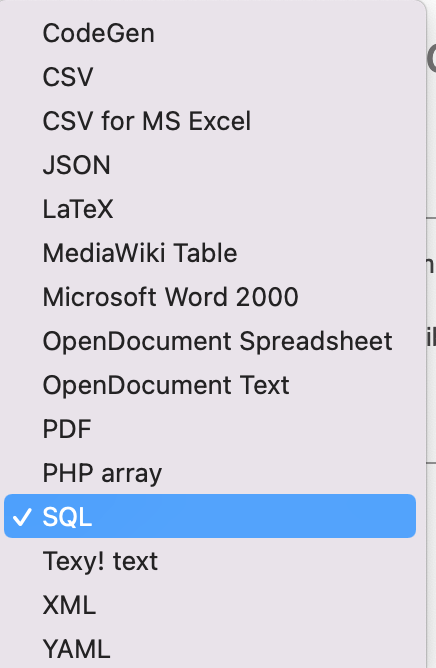
By default the format is “SQL” . Just click GO button and it will download the database in SQL format. Easy method to generate your MySQL database backup.
Other Export format available at the time of writing this tutorial
This tutorial should give you some basic insight of what PHPMyAdmin is and its functionalities. There are lot more but this will be a good starting point for you. Look in to their official documentation on all the features https://docs.phpmyadmin.net/en/latest/
 admin
admin
Interesting blog, i have bookmarked it for future referrence
good one keep the spirits high….